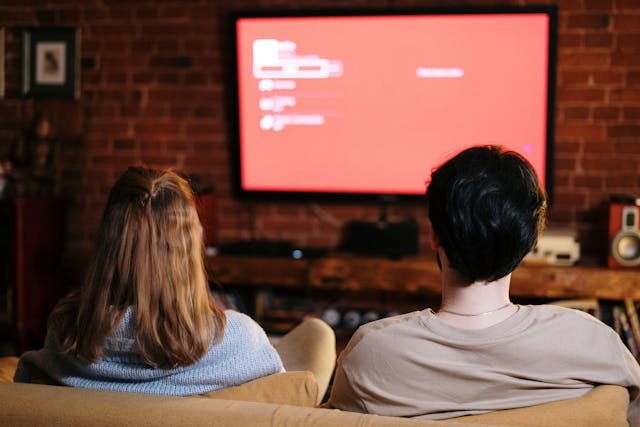
Few things are more frustrating than sitting down to watch television only to experience pixelated images, frozen frames, or channels that constantly drop out. Many people assume these issues are caused by poor broadcasting or outdated equipment, but in reality, unstable TV reception is often the result of simple setup mistakes.
Television signals rely on proper positioning, wiring, and equipment calibration. Even small installation errors can significantly weaken signal strength. That is why many homeowners eventually turn to professionals experienced with antenna installations Sydney services or similar specialists to ensure their systems are configured correctly.
Understanding the most common setup mistakes can help you diagnose reception problems and avoid the frustration of unreliable TV signals.
Poor Antenna Placement
One of the most common causes of weak reception is incorrect antenna placement. Antennas work by capturing broadcast signals from transmission towers, and their position directly affects signal quality.
When antennas are placed in poor locations, they may struggle to receive a clear signal.
Some common placement mistakes include:
- Installing the antenna too low on the roof
- Placing the antenna inside the home where walls block signals
- Positioning the antenna near large metal structures
- Installing it behind trees or other obstacles
Broadcast signals travel in straight lines, so anything blocking that path can weaken reception.
Elevating the antenna and positioning it with a clear line of sight to broadcast towers can dramatically improve signal strength.
Incorrect Antenna Type
Not all antennas are designed for the same conditions. Choosing the wrong type of antenna can result in inconsistent reception, especially if you live far from transmission towers.
There are generally two main types of antennas:
- Indoor antennas, which are designed for areas close to broadcast towers
- Outdoor antennas, which capture stronger signals from greater distances
Using an indoor antenna in a weak signal area often leads to frequent signal dropouts and poor picture quality.
Selecting the right antenna for your location is essential for stable reception.
Misaligned Antennas
Even when the correct antenna is installed, alignment plays a critical role in signal performance.
Antennas must be pointed toward the direction of broadcast towers to receive the strongest signal. If the antenna is slightly misaligned, signal quality can drop significantly.
Symptoms of a poorly aligned antenna may include:
- Channels that appear and disappear
- Pixelated or distorted images
- Audio interruptions
- Channels that only work during certain times of day
Adjusting the antenna direction can often restore consistent reception.
Damaged or Low-Quality Cables
The cable connecting the antenna to your television carries the signal. If this cable is damaged, poorly installed, or of low quality, signal loss can occur before the signal even reaches your TV.
Common cable issues include:
- Cracked or worn insulation
- Loose connectors
- Excessively long cable runs
- Low-quality coaxial cables
Signal degradation increases with poor wiring. High-quality coaxial cables and secure connections are essential for maintaining signal strength.
Signal Interference
Another common cause of unstable reception is signal interference from nearby electronic devices or structures.
Many household items can interfere with TV signals, including:
- Wireless routers
- Power lines
- LED lighting systems
- Large appliances
In some cases, nearby buildings or terrain features can also disrupt signals.
Reducing interference may involve repositioning equipment, adjusting antenna placement, or installing signal filters.
Ignoring Signal Boosters
In areas with weak broadcast signals, amplifiers or signal boosters may be necessary. These devices strengthen signals captured by the antenna before they travel through the cable to the television.
However, boosters must be used carefully. Installing an amplifier when signals are already strong can actually introduce distortion.
Boosters are most helpful when:
- The home is located far from broadcast towers
- Long cable runs are required
- Signals are split between multiple televisions
Choosing the correct amplifier ensures that signal strength is improved without introducing additional noise.
Poor Weather Protection
Outdoor antennas are exposed to the elements. Over time, weather can affect both the antenna itself and the cables connected to it.
Common weather-related issues include:
- Corrosion on connectors
- Water entering cable connections
- Wind shifting antenna alignment
- Mounting brackets becoming loose
Regular inspections help ensure that weather damage does not gradually reduce signal quality.
Properly sealed connections and secure mounting systems are essential for long-term performance.
Outdated Equipment
Television technology continues to evolve, and older antennas or components may not be optimised for modern digital broadcasting.
Outdated equipment may struggle with newer signal formats or fail to capture signals efficiently.
Signs that equipment may need upgrading include:
- Difficulty receiving newer digital channels
- Frequent signal dropouts despite good antenna placement
- Older analogue components still in use
Upgrading outdated hardware can often resolve persistent reception issues.
Small Adjustments Can Make a Big Difference
Unstable TV reception is rarely caused by a single major failure. More often, it results from a combination of small setup mistakes that weaken signal strength over time.
Correct antenna placement, proper alignment, quality cabling, and suitable equipment all play a role in maintaining reliable reception.
By identifying and correcting these common installation errors, homeowners can dramatically improve signal stability and enjoy clear television viewing without the constant frustration of dropouts or distorted images.